
Email Notifications
The two notification toggles, and exactly what each one covers
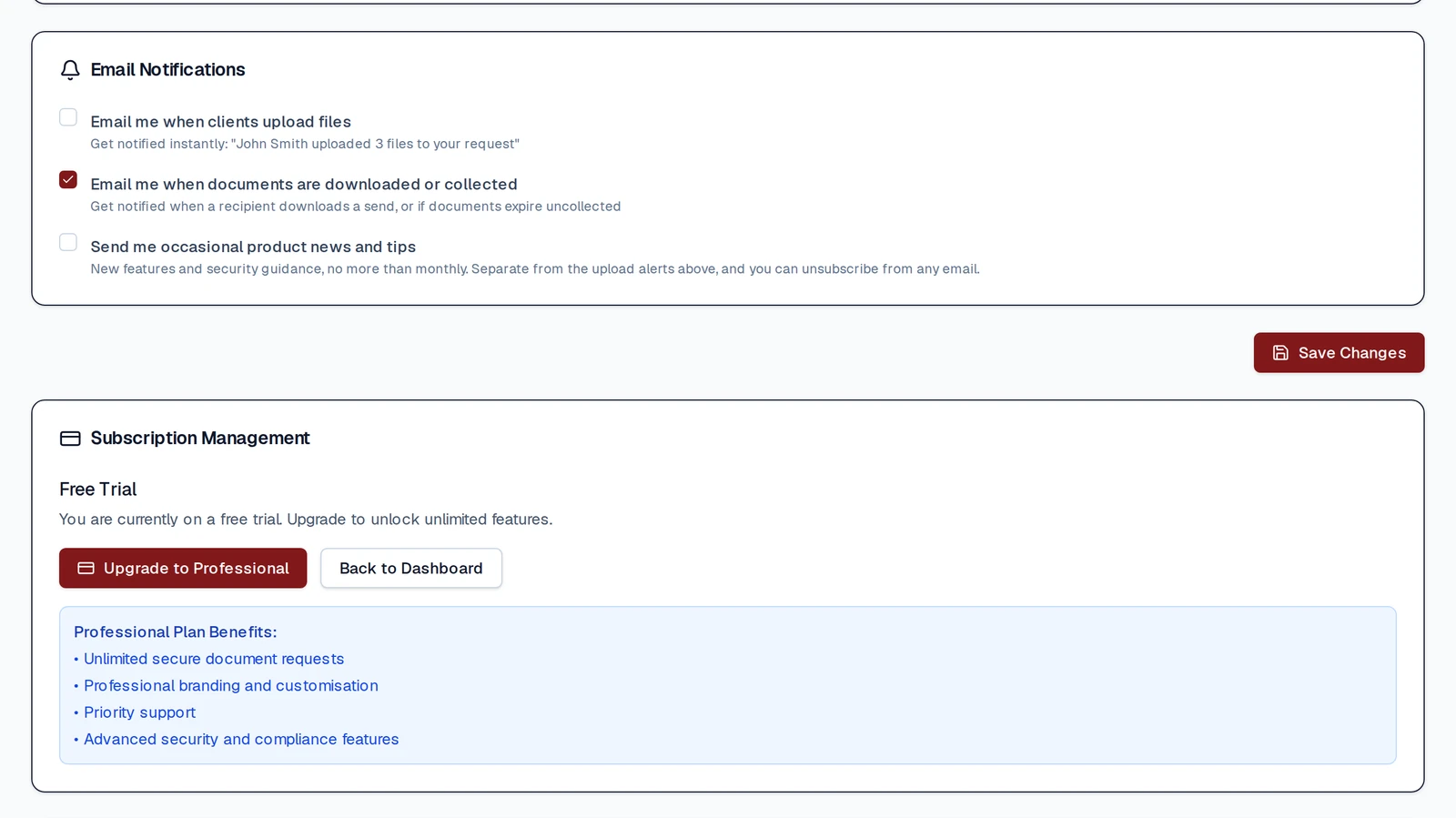
Email Notification Settings
FileSeal's notification settings are deliberately small: three checkboxes in one card in Settings. This page says what each one actually controls, because the labels cover more than they suggest.
The toggles
"Email me when clients upload files"
Turns on:
- The notice that your client has finished uploading to a request
- The notice that a REQUEST expired, whether your client never uploaded or uploaded and you never downloaded
- The occasional reminder emails during your free trial
"Email me when documents are collected or a note is opened"
Turns on:
- The notice that a recipient has downloaded something you SENT
- The notice that a recipient has opened a secure note you sent
- The notice that something you sent expired without being collected
"Send me occasional product news and tips"
Marketing, off by default. It is in the same card, which is why this page counts three boxes rather than two. It also gates the last stage of the trial reminder sequence, so a trial user who leaves it off gets the earlier reminders but not the final one.
They are independent. Turning one off does not turn off the others, and the first two each cover the whole list above them rather than only the case in their label. That split exists because a professional who mostly sends had no way to tell that switching off upload notices also silenced their "documents collected" emails.
Unsubscribe links
The emails you receive about your seals (uploads, collections, a note being opened, and expiry notices) are transactional and carry no unsubscribe link. To stop them, switch the matching setting off in Settings.
The free-trial tip emails do carry a one-click unsubscribe. Using it on those clears BOTH notification settings, not just one, so if you want to keep one of them, change the settings in Settings instead. The exception is the final monthly update, whose unsubscribe switches off product news only.
What FileSeal does not have
No SMS, no push notifications, no digest or batching options, no quiet hours or business-hours scheduling, and no integrations with Outlook, Google Workspace, Slack or practice-management systems. Notifications go out by email shortly after the event, on a cron that runs every ten minutes.
Transactional email is separate and cannot be switched off: invitation links, email verification, and service notices such as a change to the Terms are sent regardless of these settings.